Selected work / Independent product

Eikōn Bible

A connected space for Scripture and study. From the visual identity to the software behind it.

Engineering-led. Independently minded.

The experience.

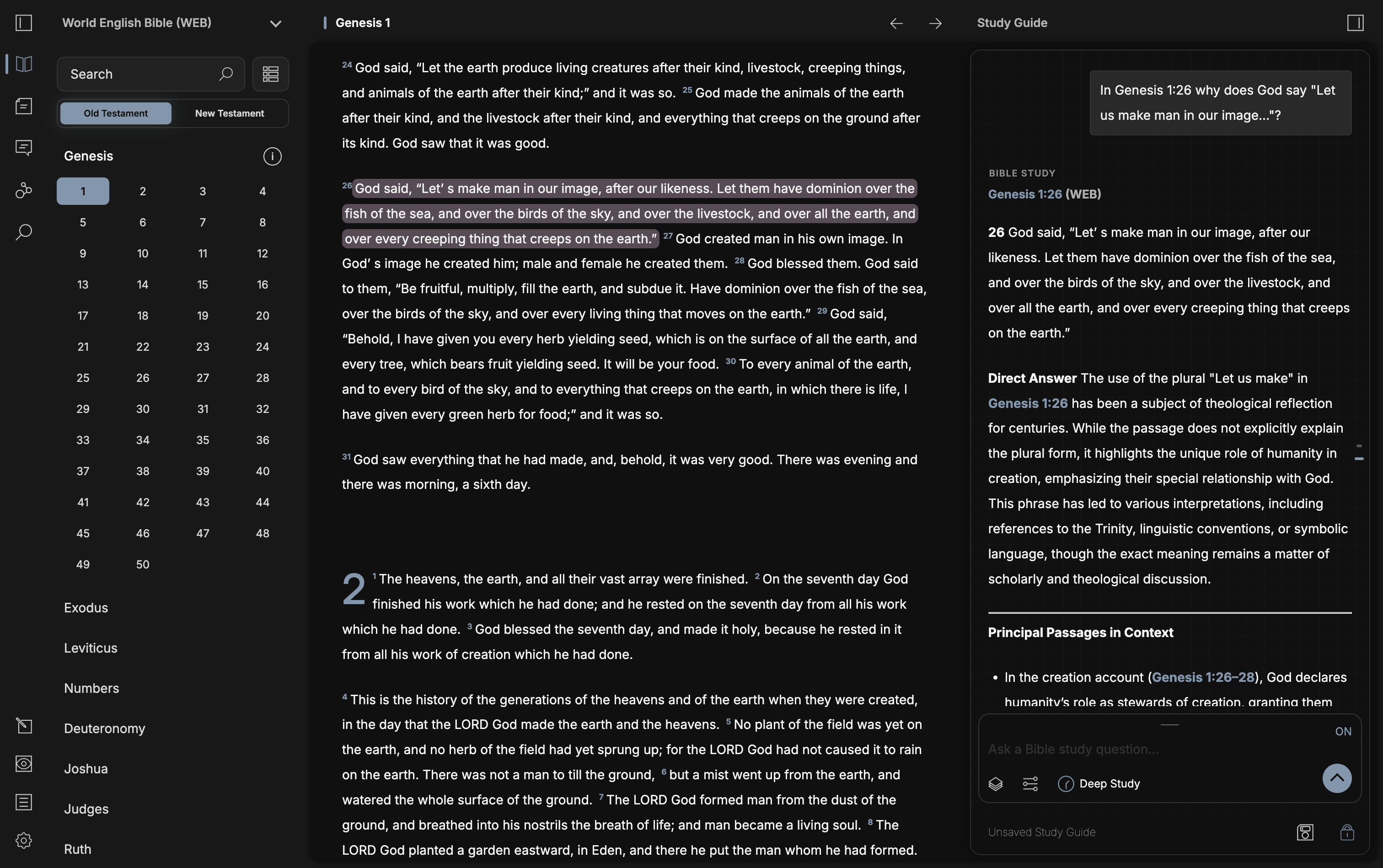
Scripture stays in view, with the Study Guide close at hand.
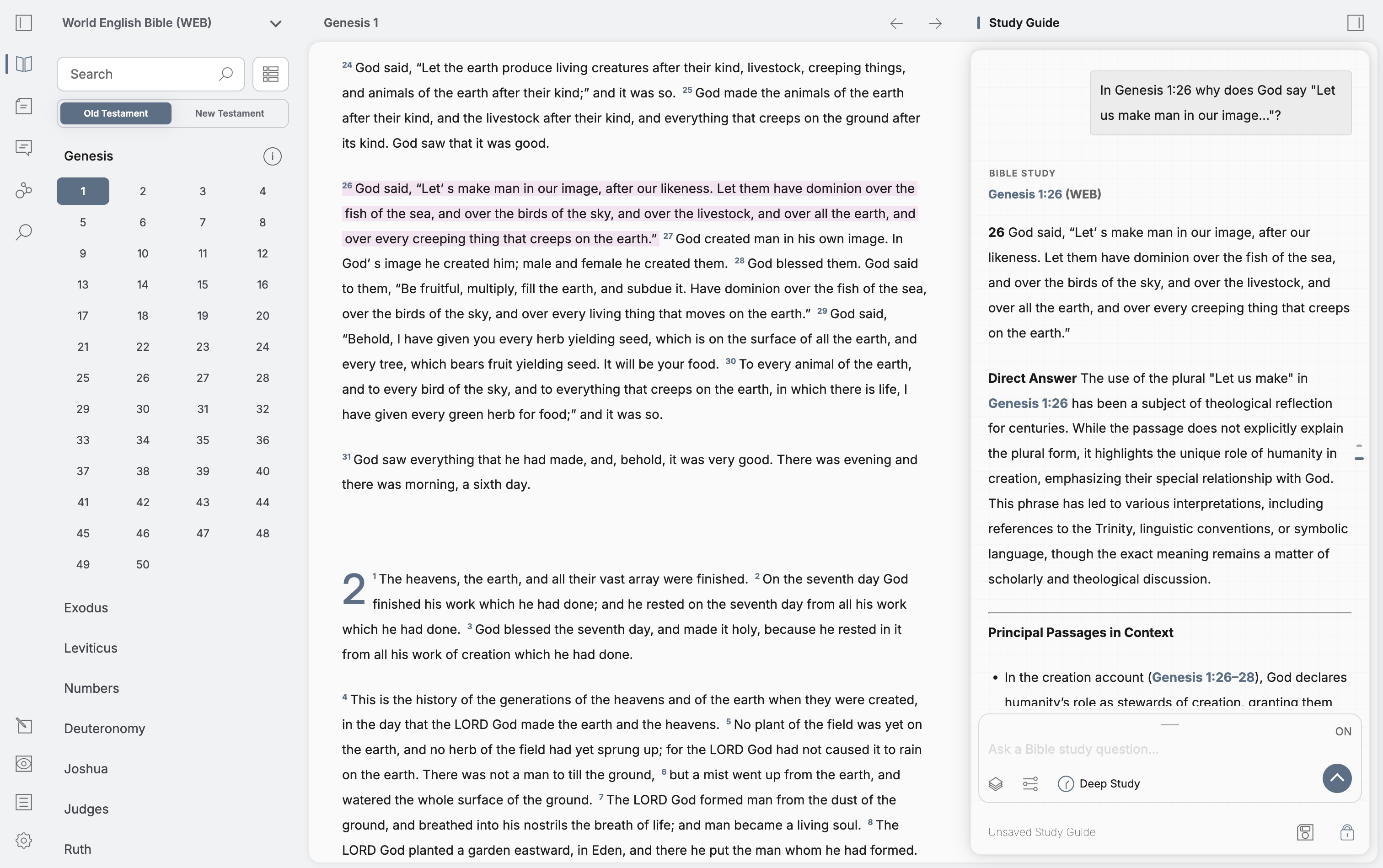
Eikōn Bible light interface with Genesis 1 and a connected Study Guide Eikōn Bible dark interface with Genesis 1 and a connected Study Guide
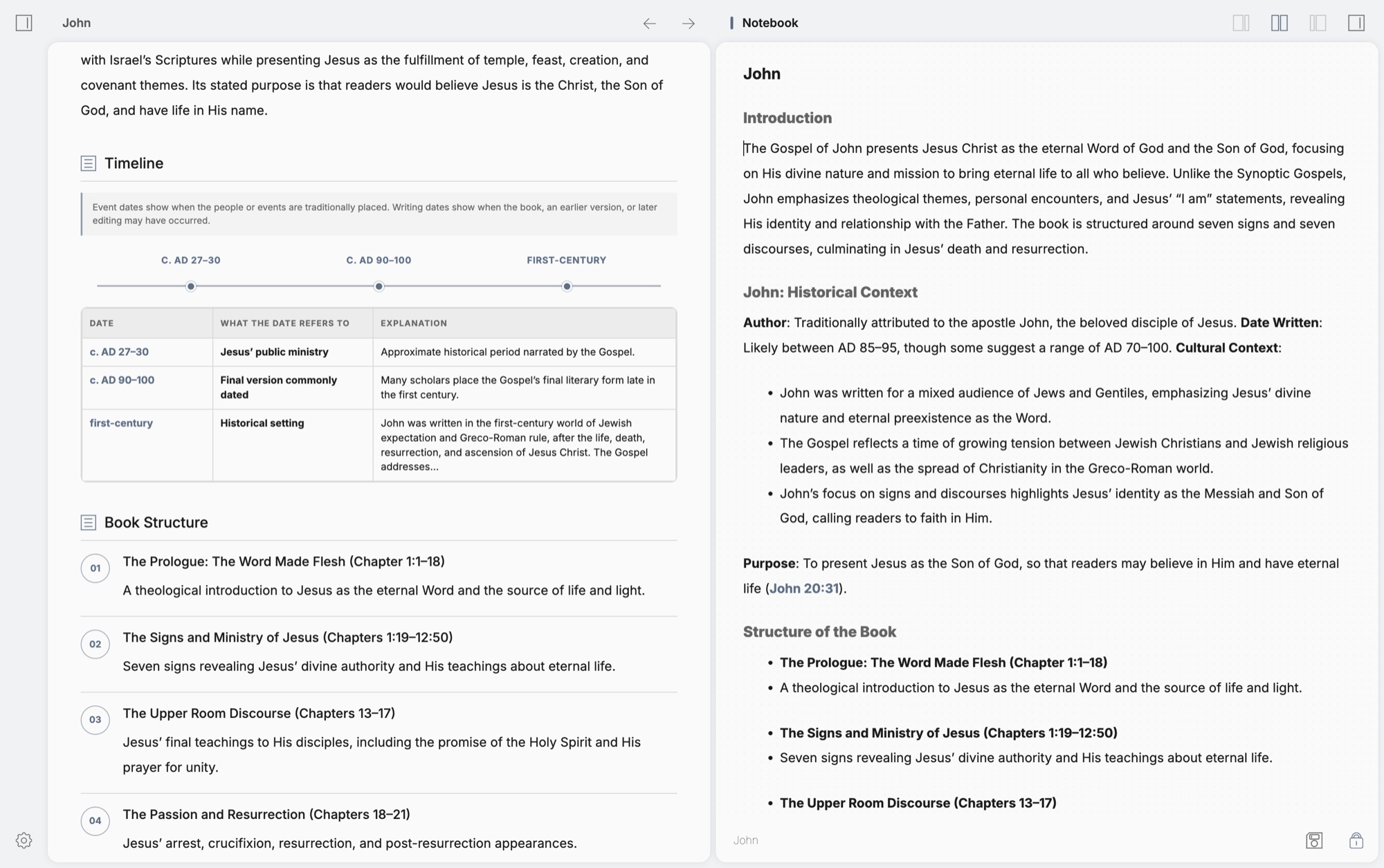
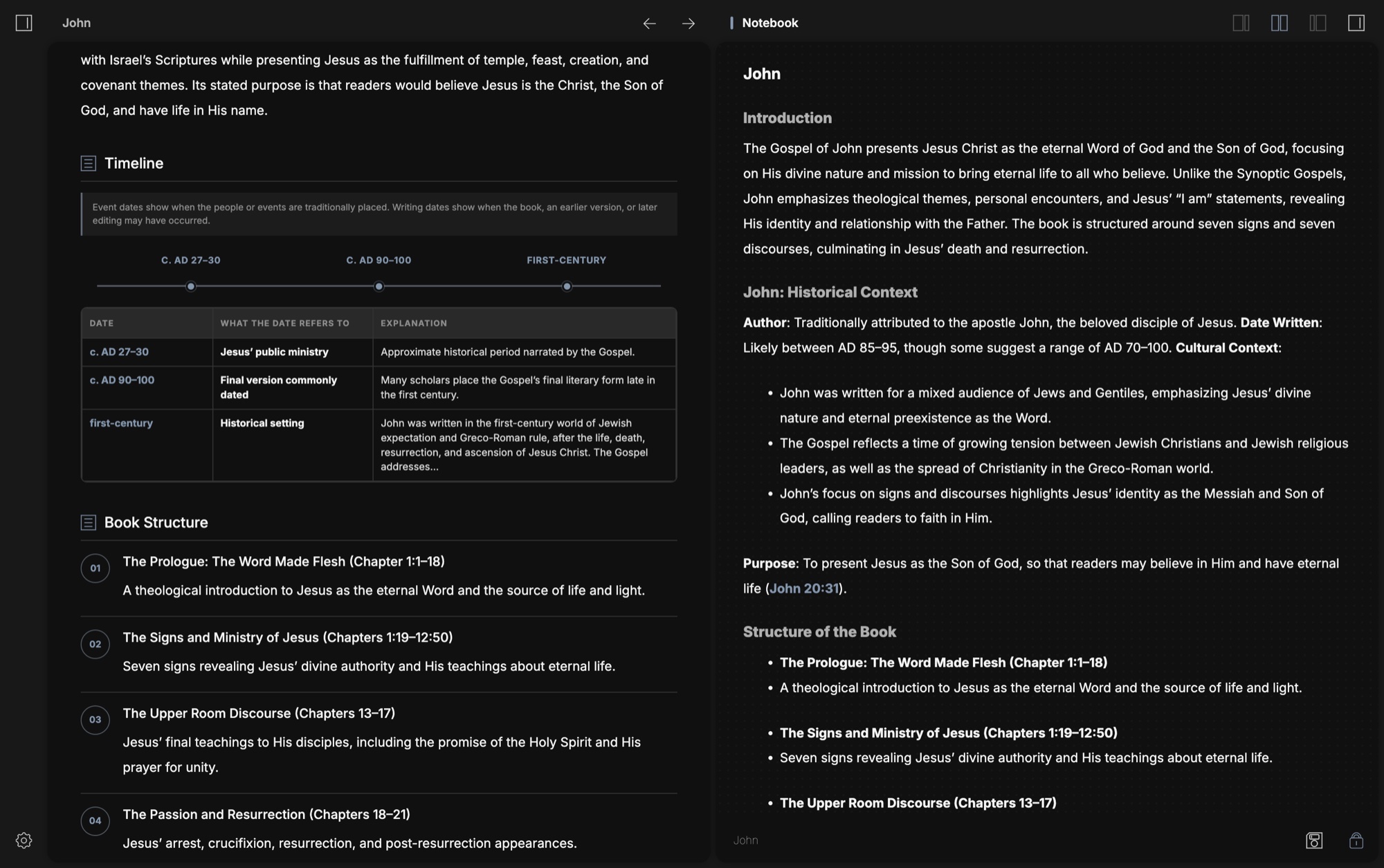
Eikōn notebook beside a timeline and outline of John Eikōn notebook beside a timeline and outline of John

Keep the context. Capture the thought.

Book outlines and personal notes sit side by side, keeping your reflections close to what you’re studying.
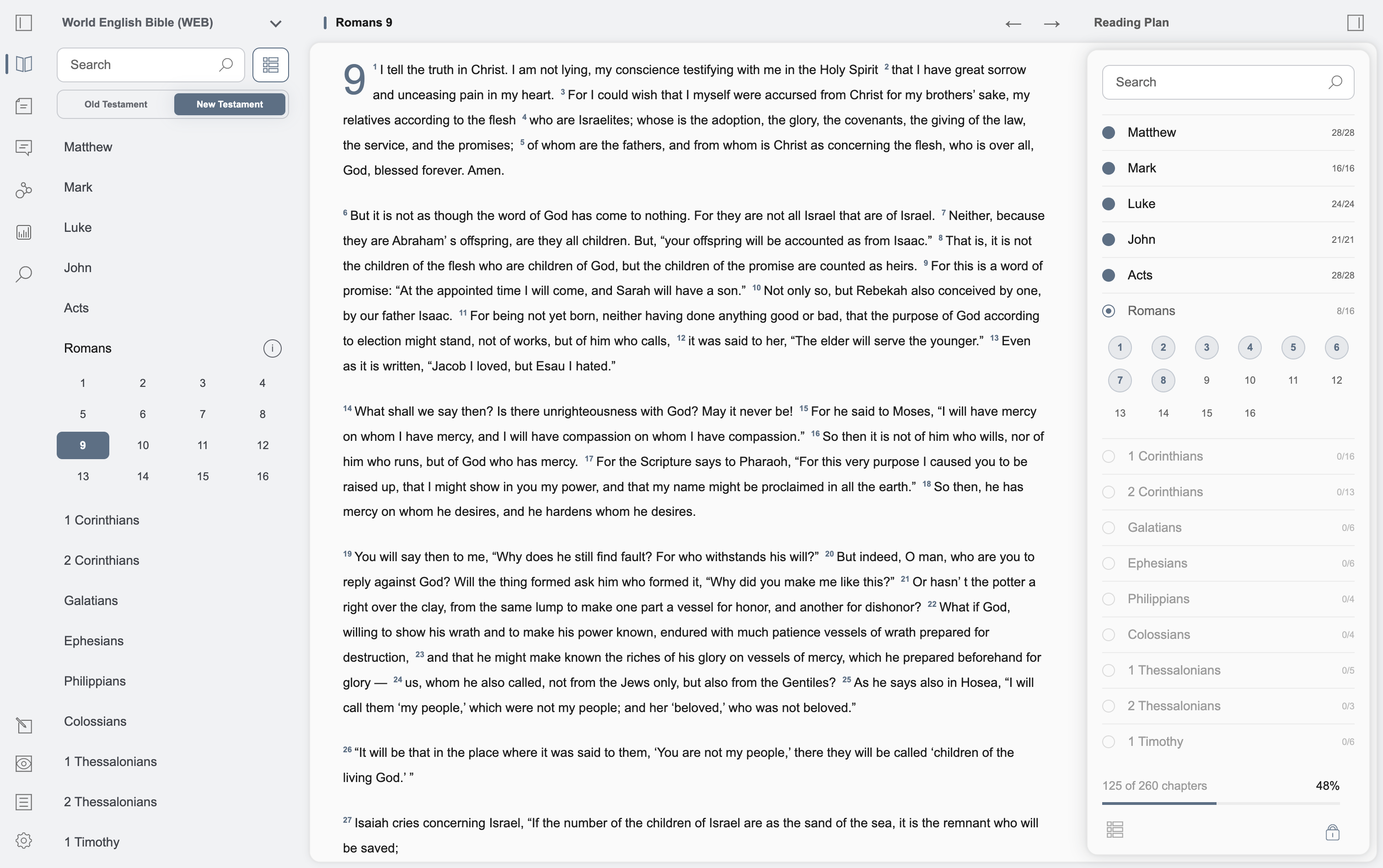
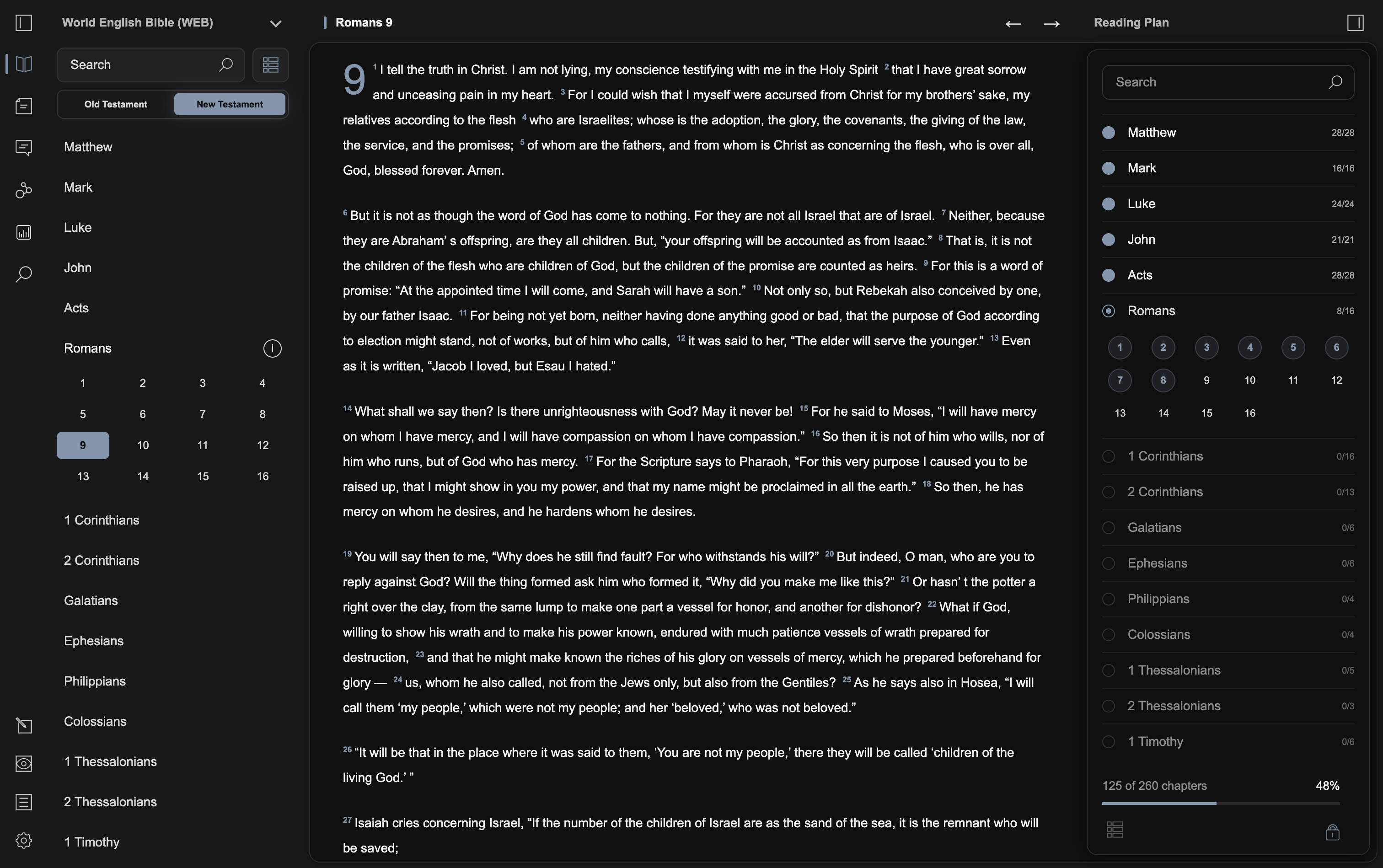
Eikōn reading plan showing chapter progress alongside Romans 9 Eikōn reading plan showing chapter progress alongside Romans 9

A clear place to pick up.

Chapter-by-chapter progress stays beside the text, so it’s easy to see where you’ve been and what’s next.

Beyond the interface, the Eikōn Evaluation Framework explores the quality of AI-assisted study: Scripture handling, evidence, and system behavior.

Software / Bible Analytics

Explore patterns. Stay connected to the text.

Bible Analytics brings search, visualization, and passage data into the study workspace. I designed the workflow to move from a broad view of Scripture to close reading, with the Study Guide alongside.
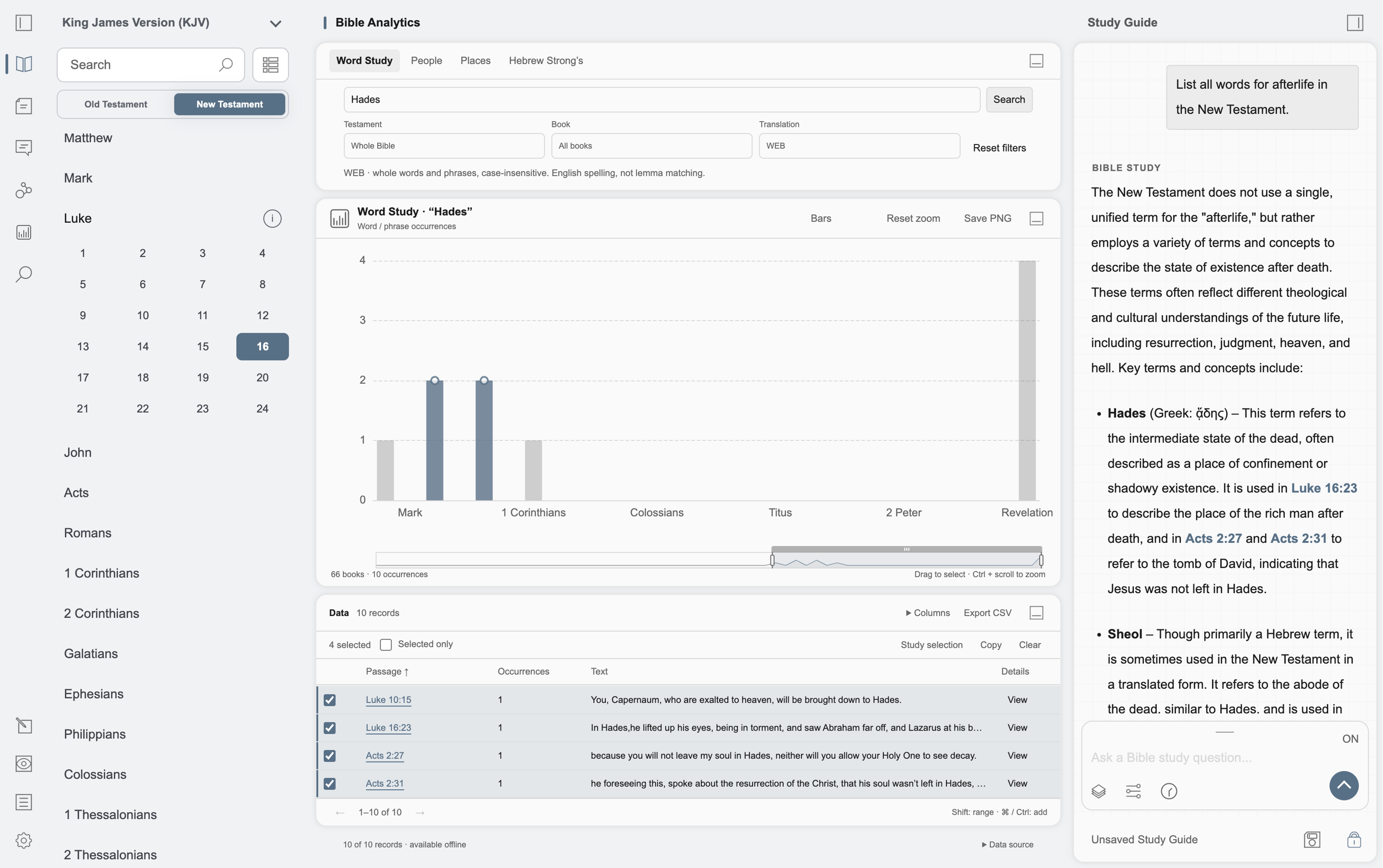
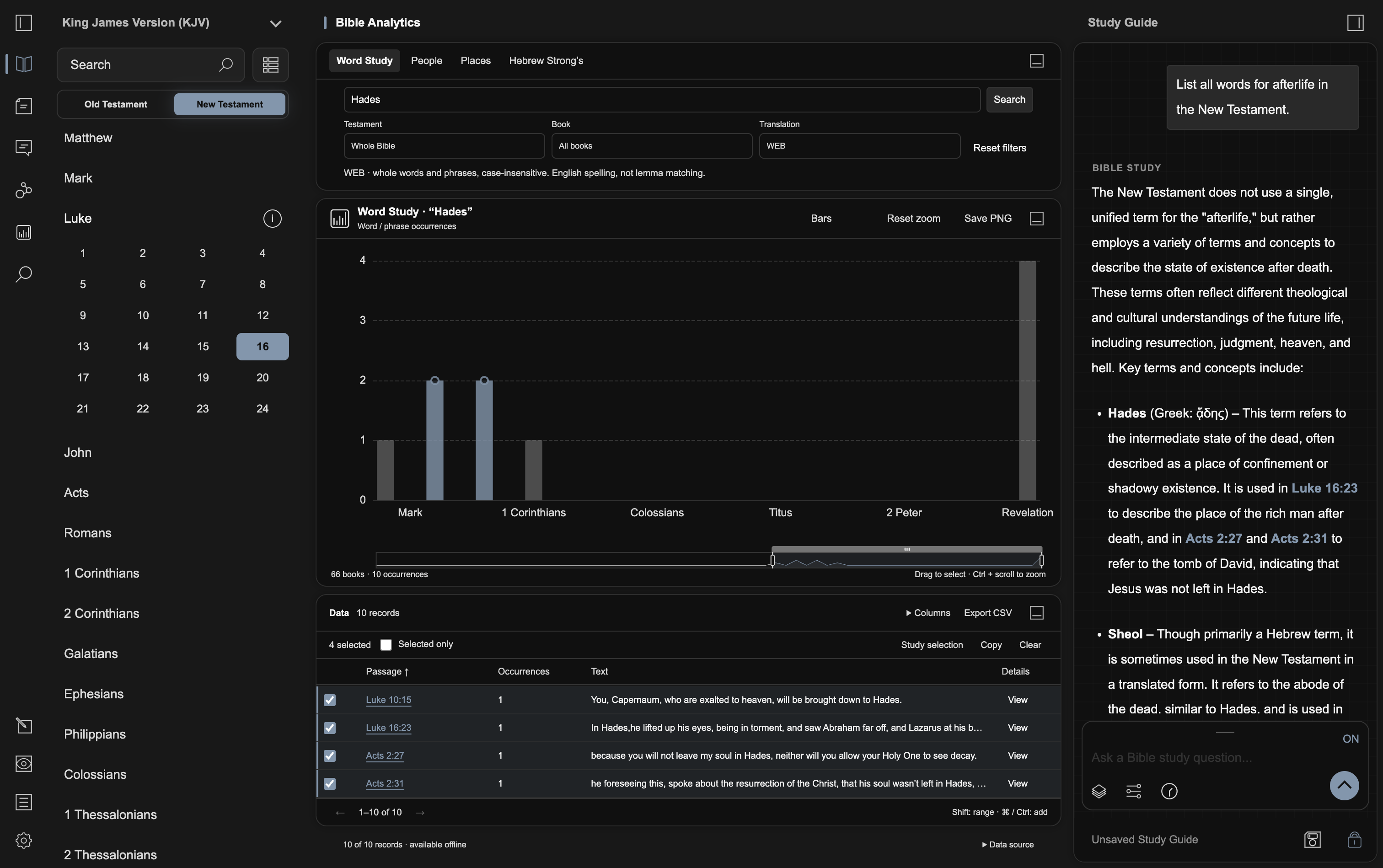
Bible Analytics with search filters, an interactive chart, selectable passage records, and the connected Study GuideBible Analytics with search filters, an interactive chart, selectable passage records, and the connected Study Guide

From exploration to deeper study.

Search words and phrases, narrow the scope by testament, book, or translation, and explore their distribution in an interactive chart. Inspect the underlying passage records, select a group for study, and carry those references into the Study Guide. Chart images and CSV exports make the results useful beyond the workspace.

The identity.

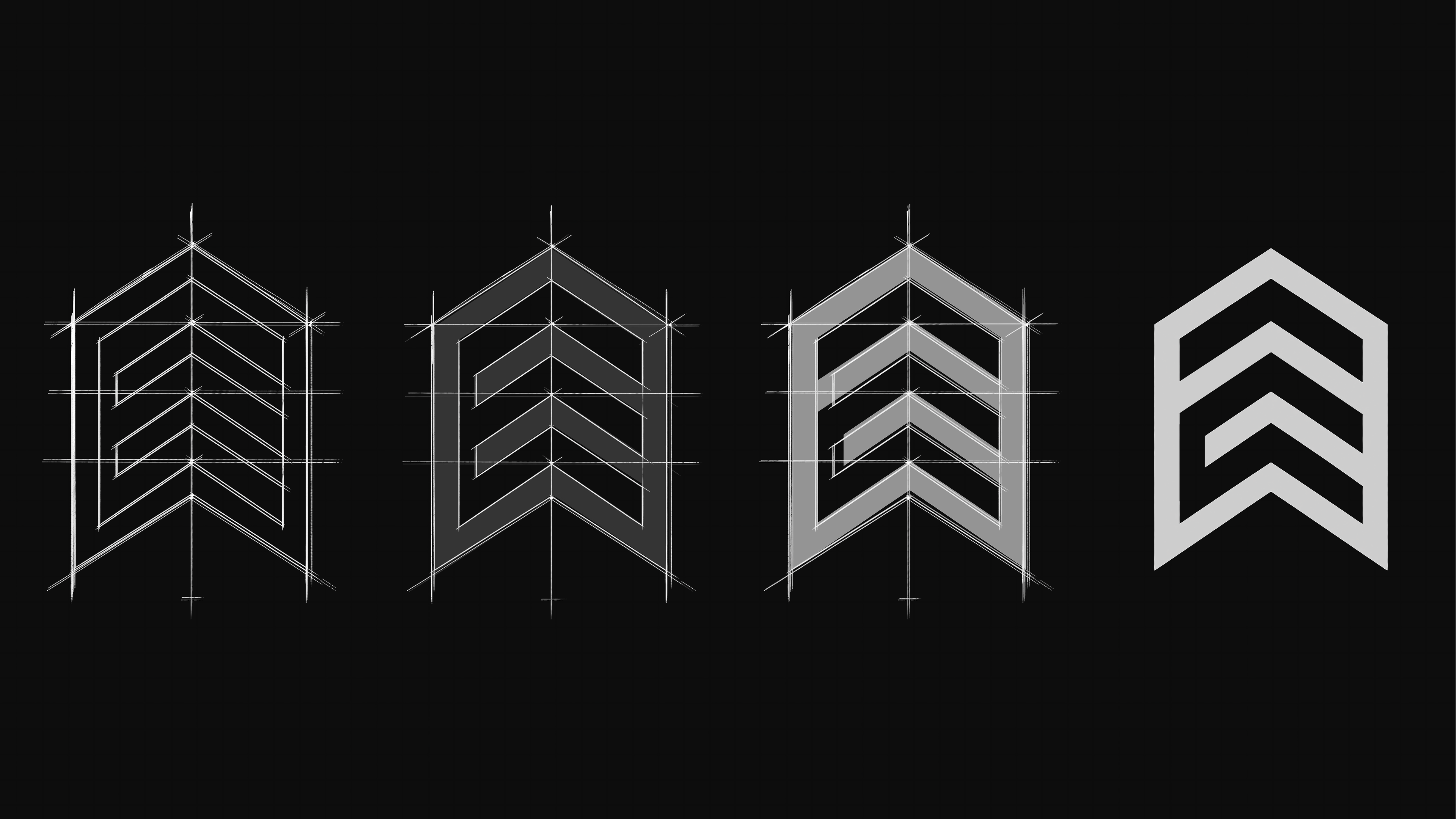
A simple, geometric mark gives Eikōn a distinct identity while keeping the focus on Scripture and study.


Dark Eikōn Bible Software wordmark and emblem on a light gridLight Eikōn Bible Software wordmark and emblem on a dark gradient grid

The website.

A connected product needs a clear introduction. The website brings the workspace, the workflow, and local AI requirements into view.
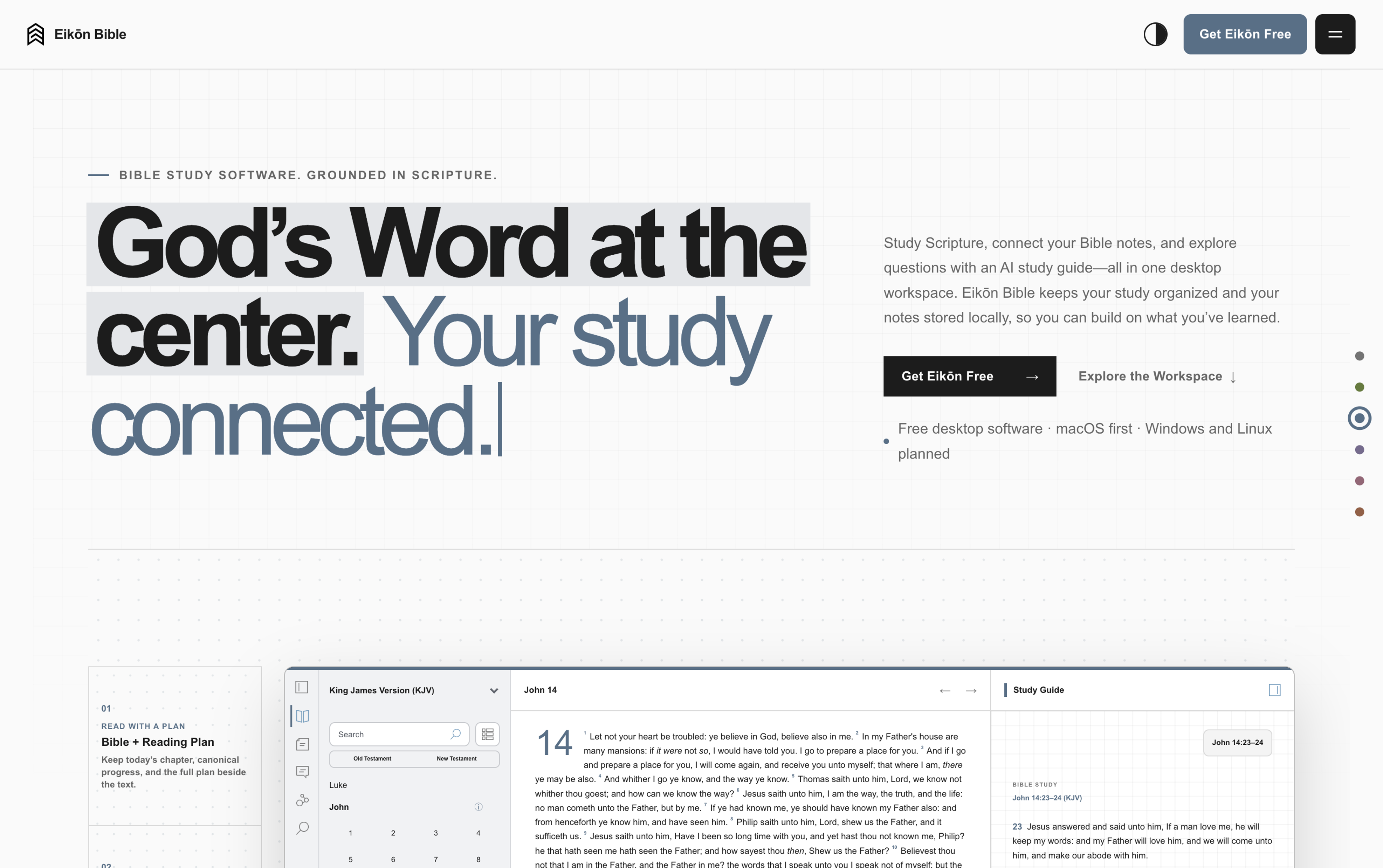
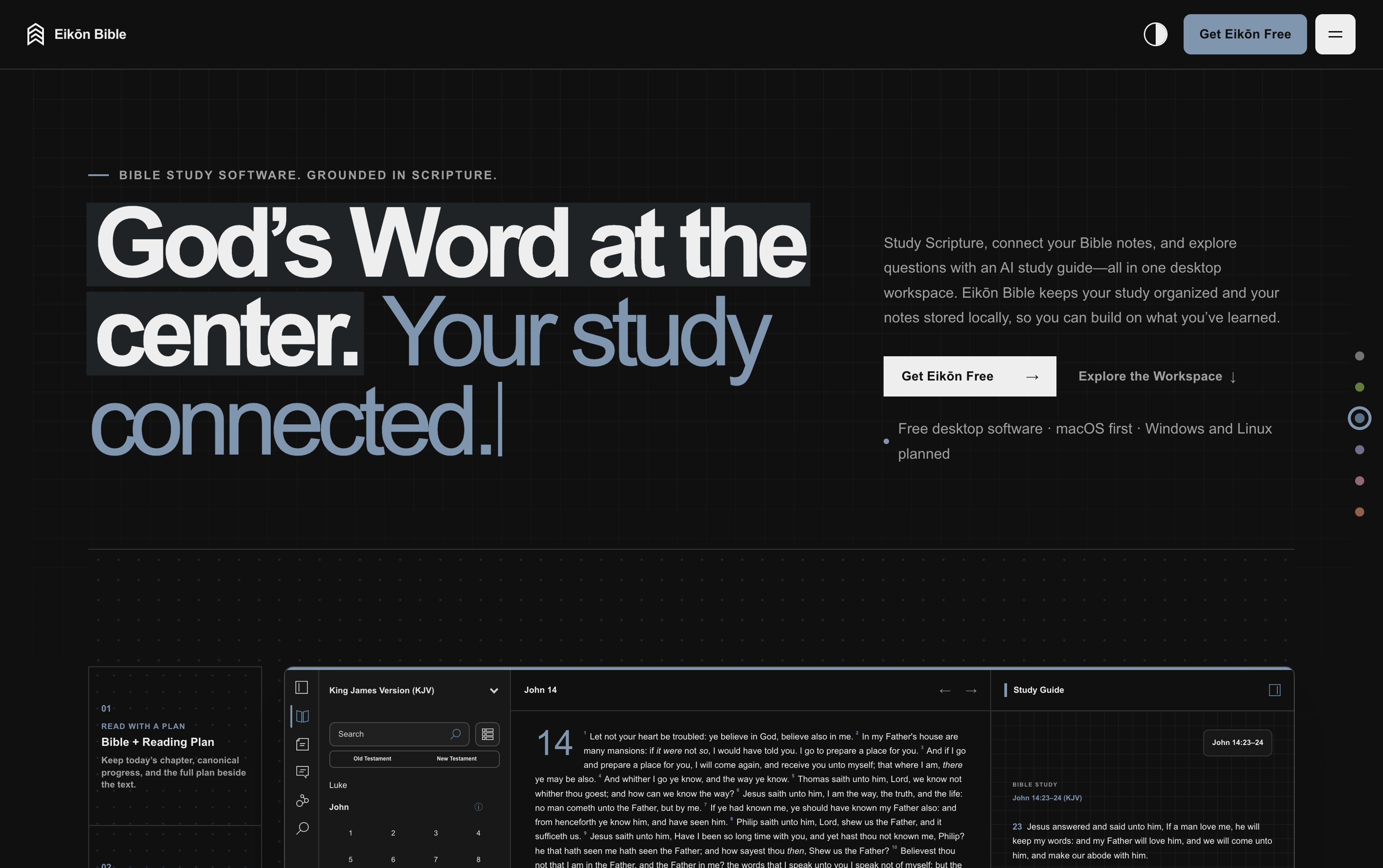
Eikōn Bible website opening in light mode with God’s Word at the centerEikōn Bible website opening in dark mode with God’s Word at the center
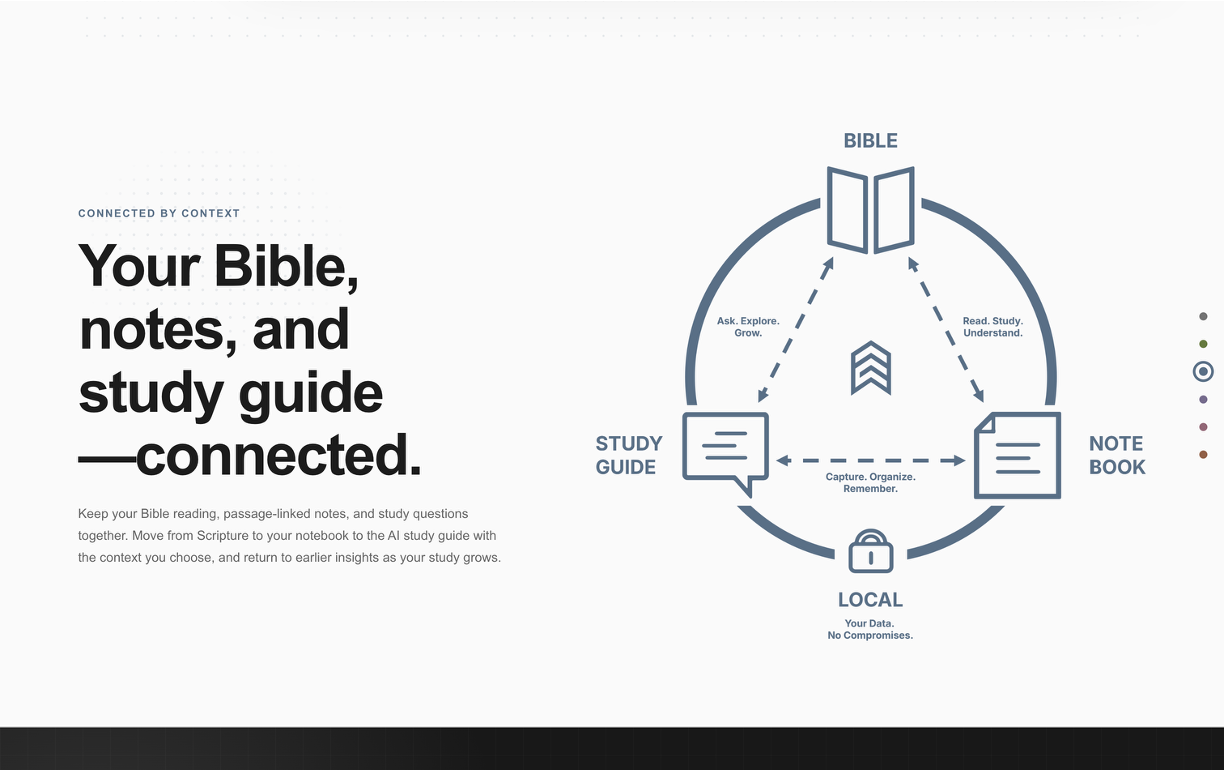
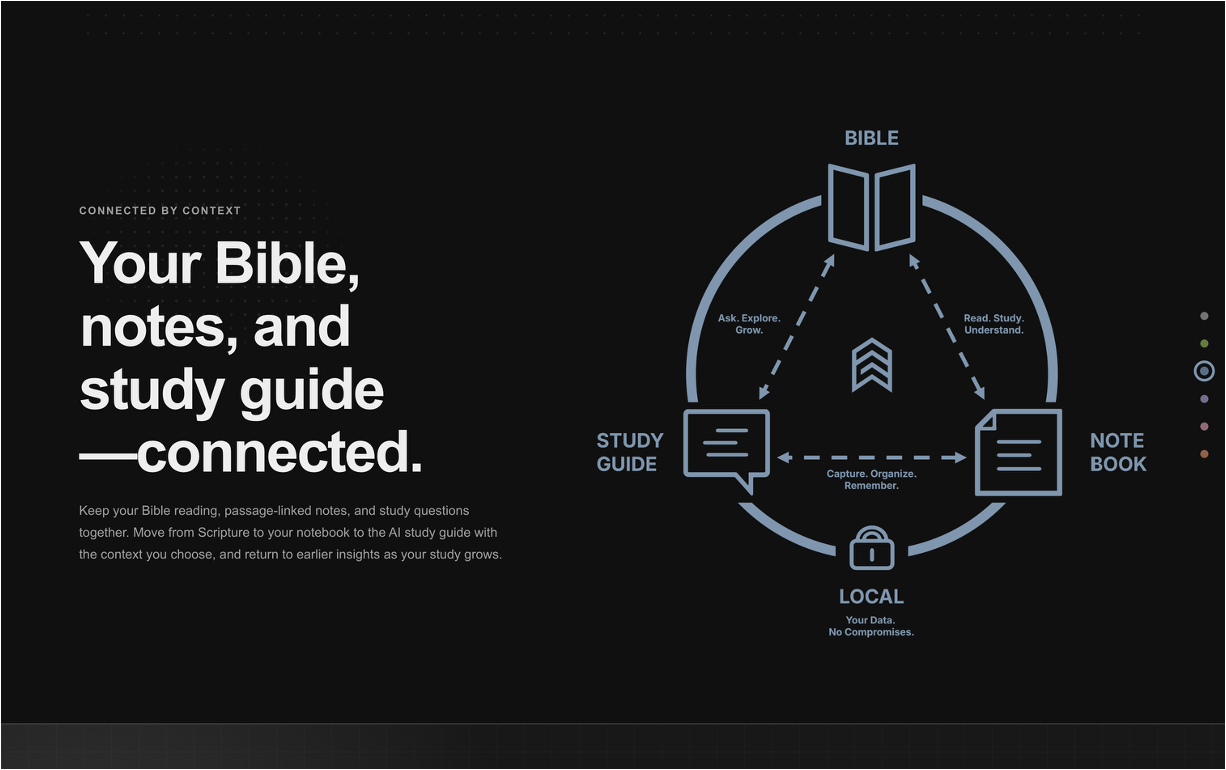
Light diagram connecting the Bible, Study Guide, and Notebook with local dataDark diagram connecting the Bible, Study Guide, and Notebook with local data

Show how it connects.

A simple visual explains how Scripture, notes, and the Study Guide work together.
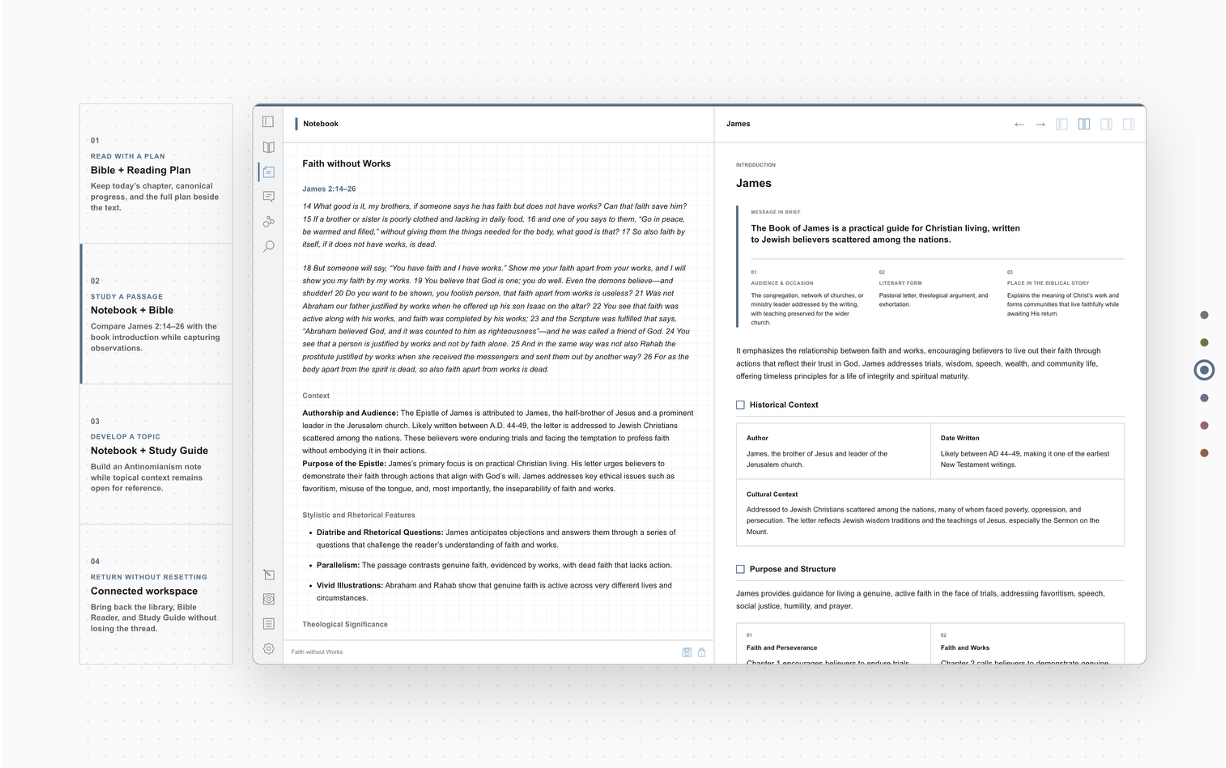
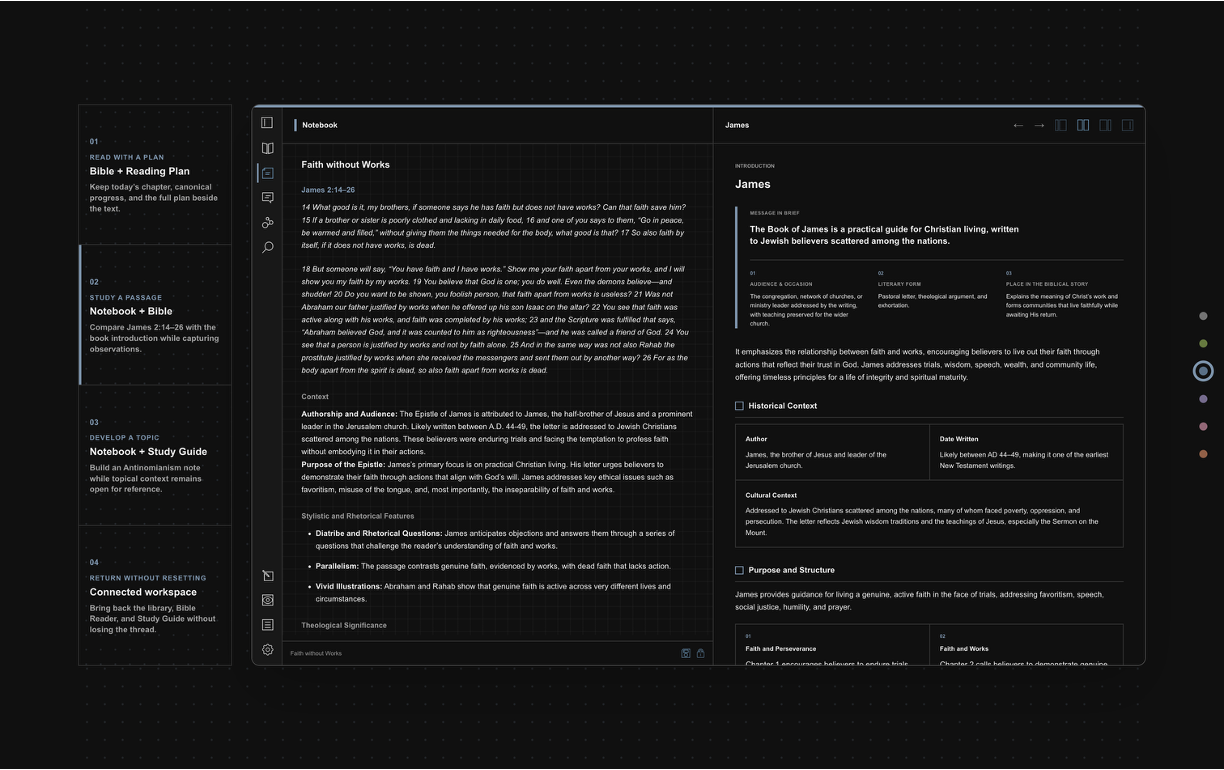
Interactive light website showcase comparing a notebook with Bible contextInteractive dark website showcase comparing a notebook with Bible context

Make the workflow visible.

Examples turn a list of features into familiar study tasks.
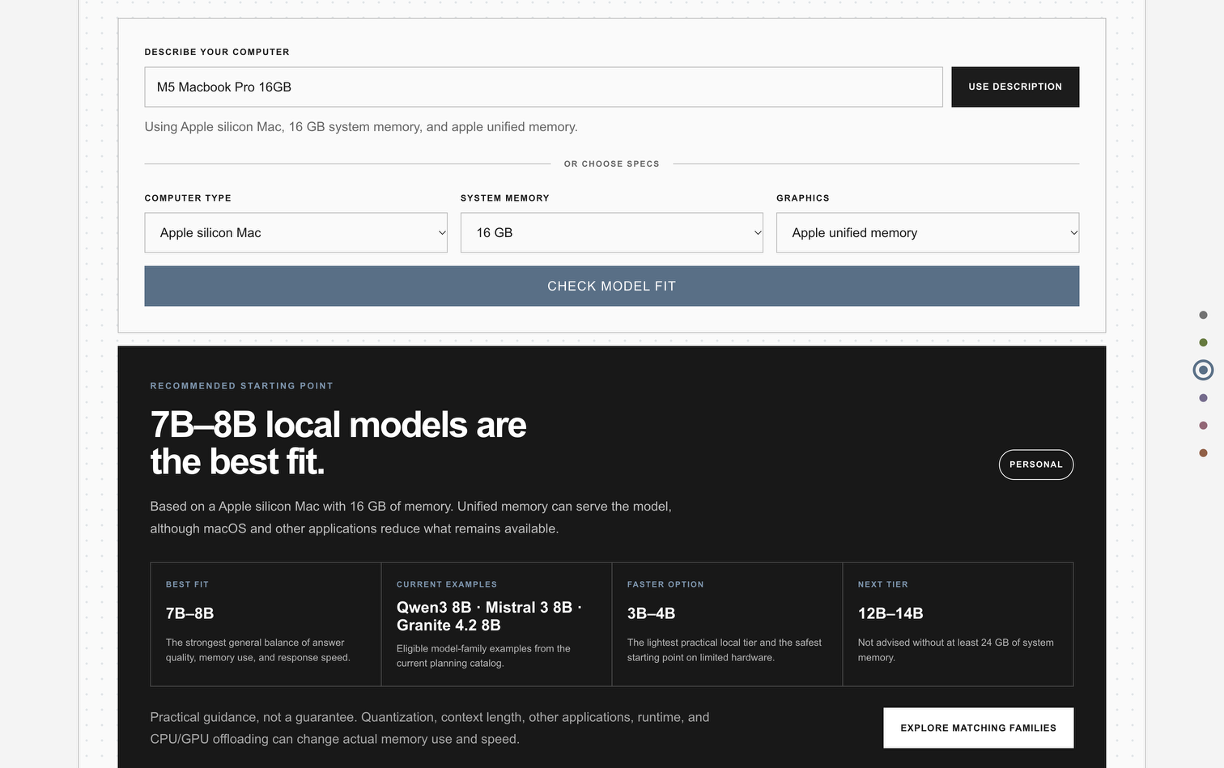
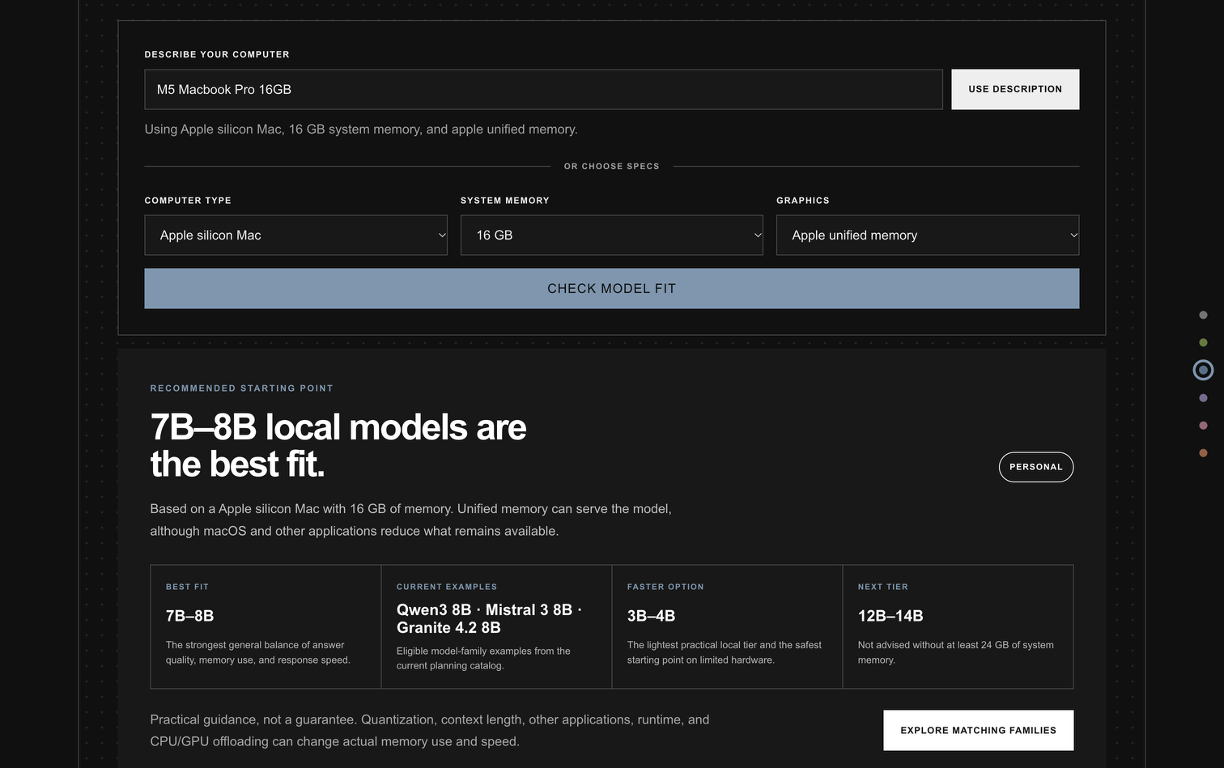
Light model fit tool with computer specifications and a suggested local model sizeDark model fit tool with computer specifications and a suggested local model size

Start with your computer.

Hardware guidance gives visitors a practical starting point for local AI.
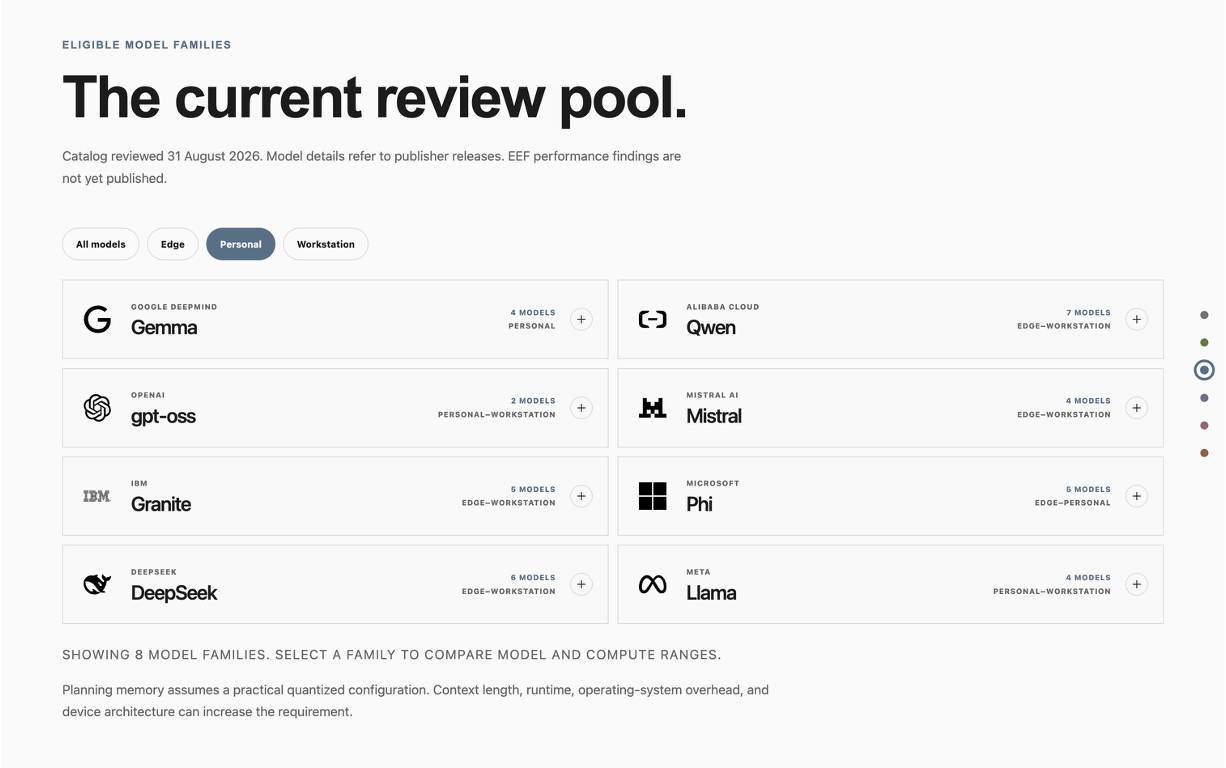
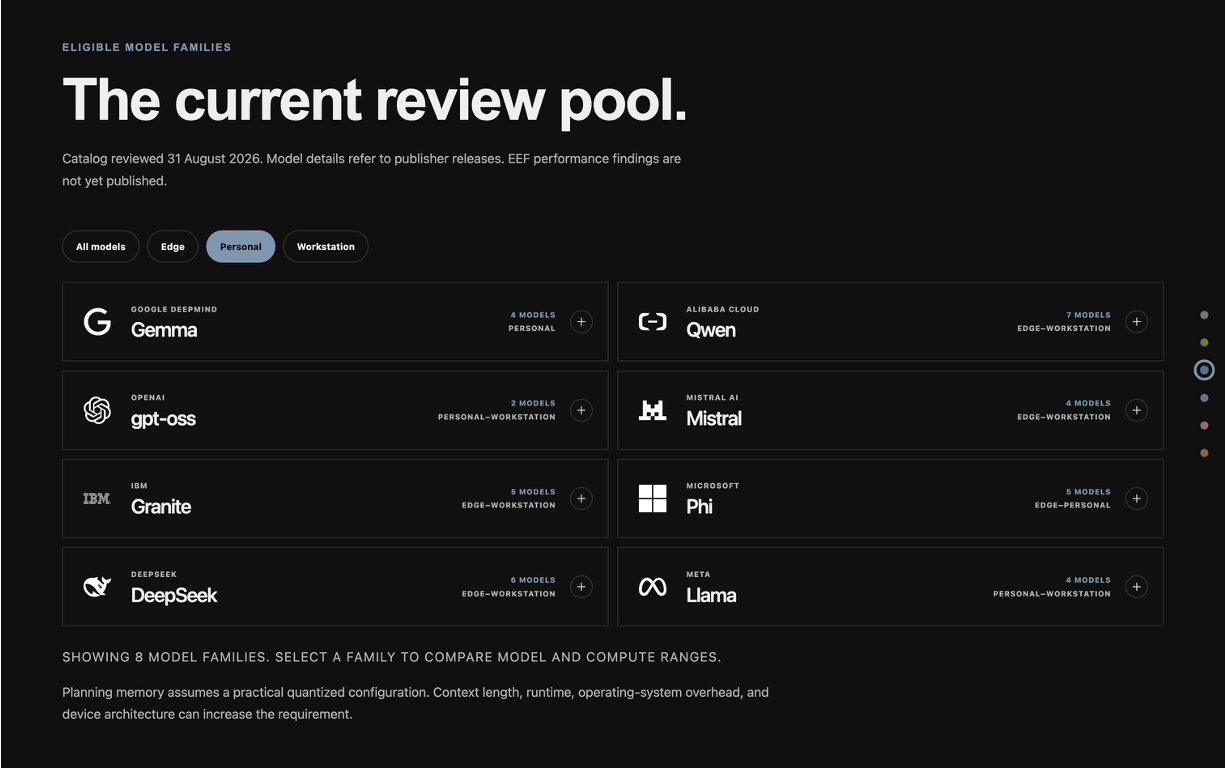
Light model family catalog with hardware-range filtersDark model family catalog with hardware-range filters

Make the options clearer.

A filterable model catalog helps visitors explore families and hardware ranges.

Let’s connect

Have something
worth building?

Have a project, collaboration, or career opportunity in mind? I’d like to hear about it.

[ Start something ]

Good things
start with
a conversation.

Projects, collaborations, and career opportunities.
I’d like to hear from you.

Johnglenn GalarceDesigner & developer

Prefer a direct hello?

thepinnaclelab@gmail.com
01 / What would you like to connect about?

Tell me a little about what brings you here.

Your message goes directly to my inbox.